Adding Standard Widgets to Custom Dashboards
To add standard widgets to a custom dashboard:
-
On your custom dashboard, click + Add a widget or Actions > Add widget.
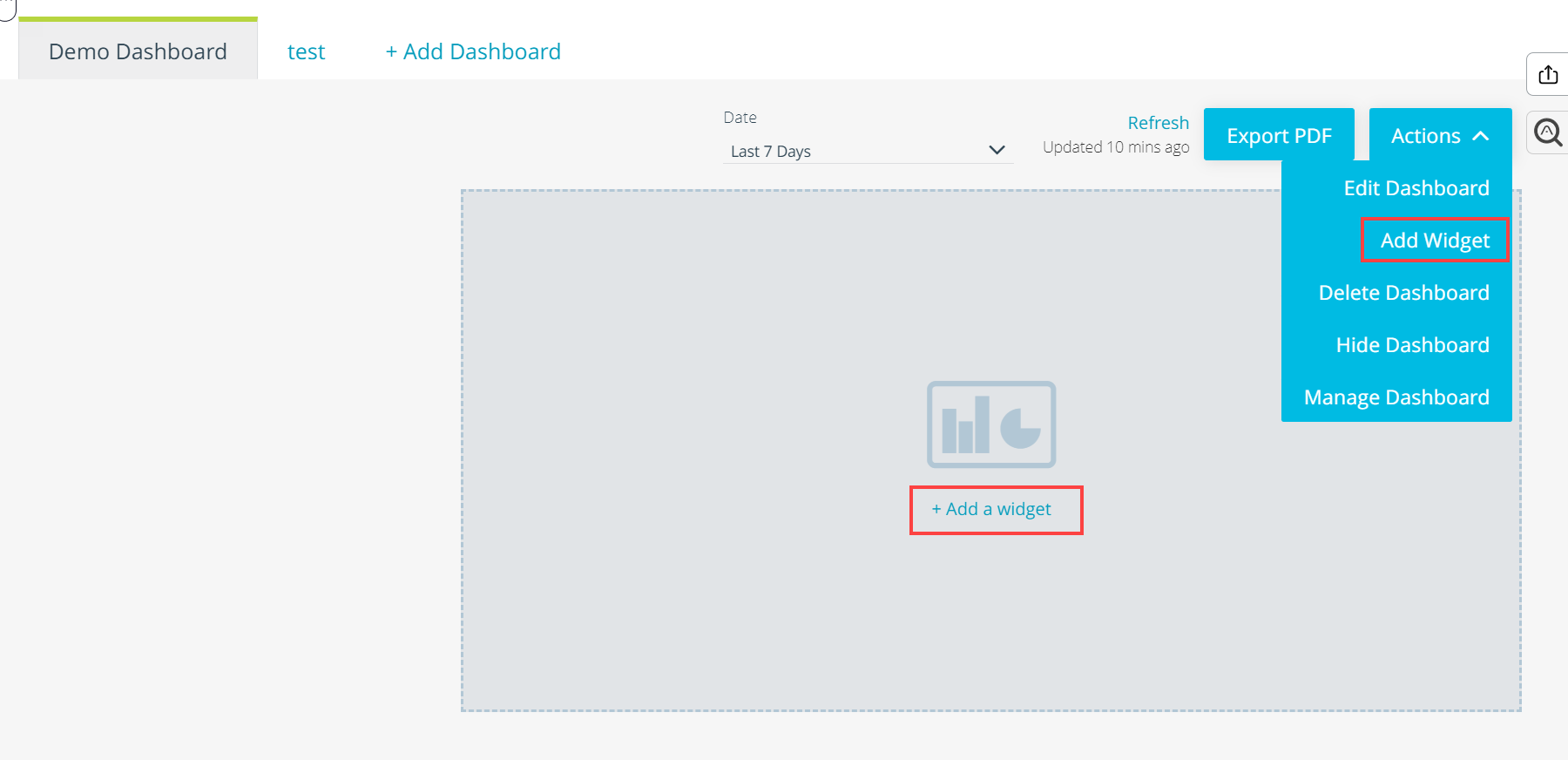 Note: You can only add widgets to custom dashboards you created. Each dashboard can contain up to 20 widgets.
 -
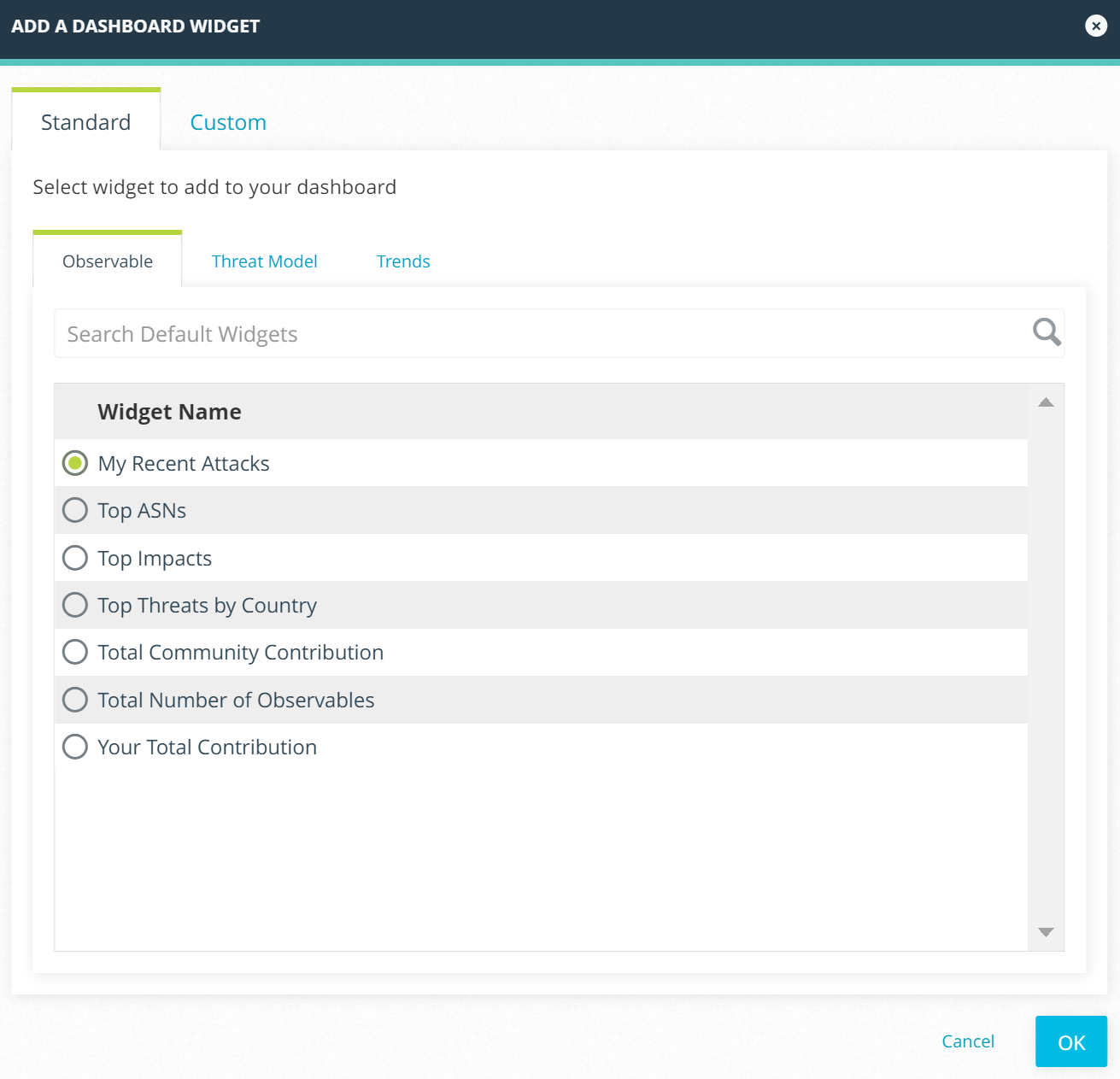
Select the widgets of interest on the Standard tab and click OK.
-
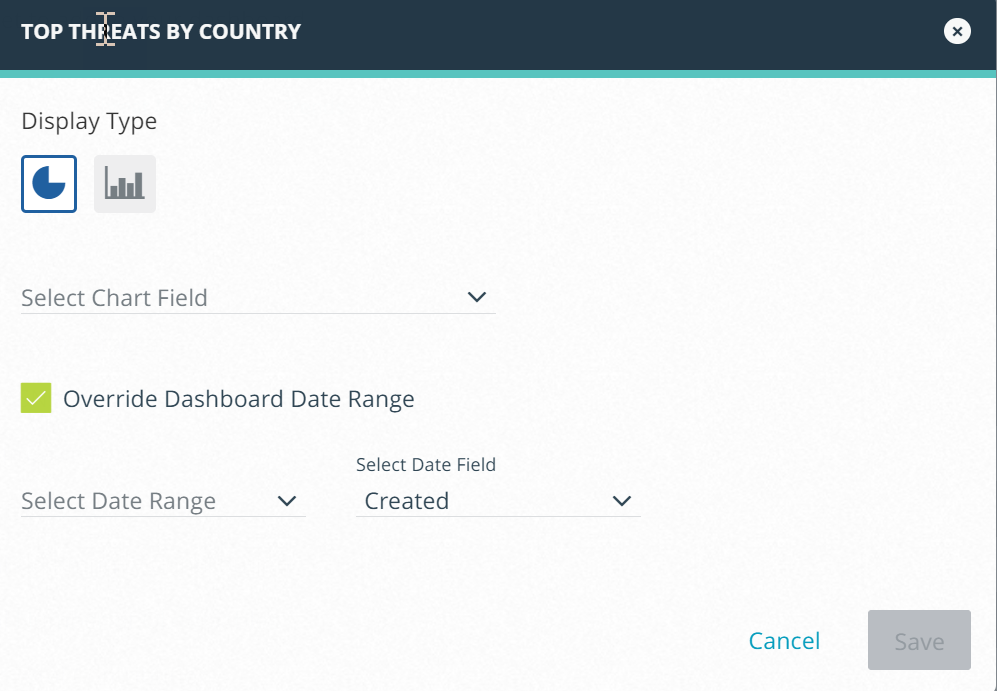
In the window that opens, select a display type, chart field, date range, and date field. For the table display type, select what columns you want to be displayed on the widget. Deselect the Override Dashboard Date Range if you do not want the dashboard date range to be overriden.
-
Click Save. The widget is added to the dashboard.